October 18, 2026 · By @limitlessdeng
Launched a week ago and Google still hasn't indexed it? Check these 6 things
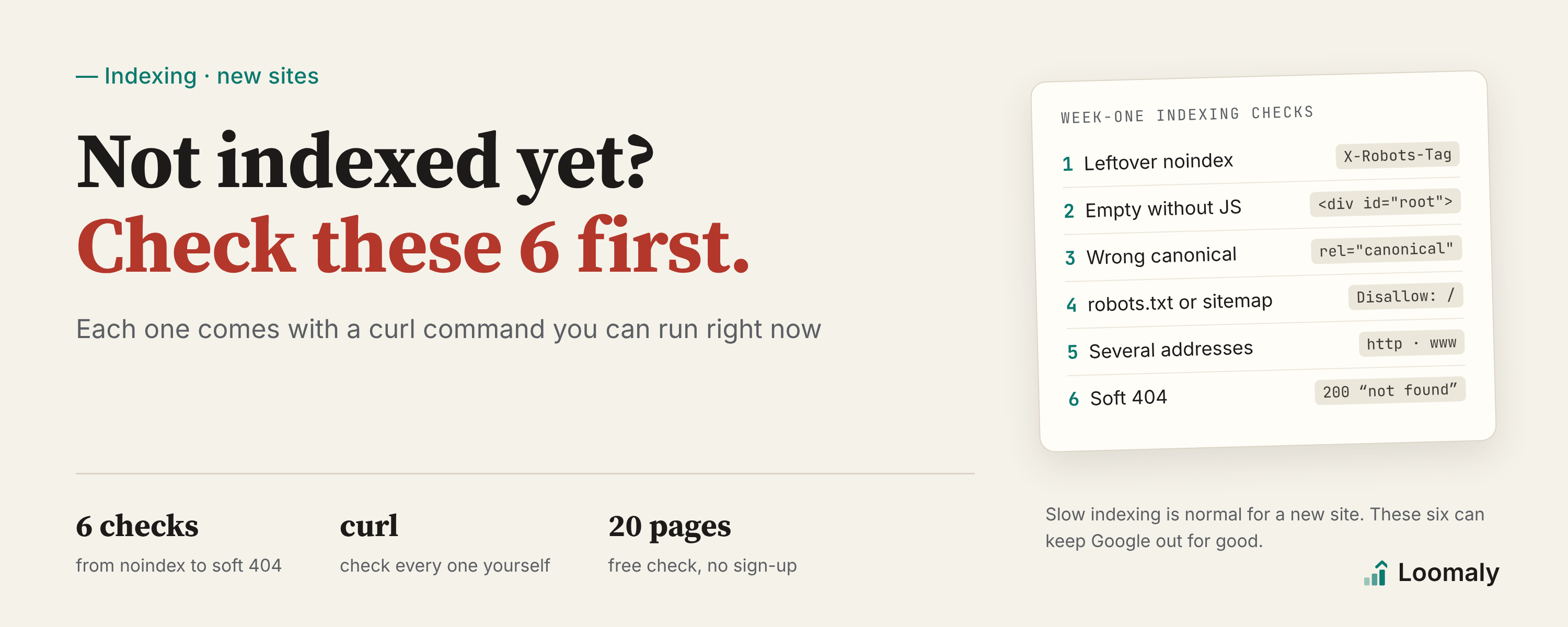
New sites are slow to get indexed, but some problems keep Google out for good. Six to check, each with a curl command and the name Loomaly reports it under.
Your side project is live. You submitted the sitemap. A week later you search site:yourdomain.com on Google and get nothing.
First, the honest part: slow indexing is normal for a new site. It can take days or weeks, and Google makes no promises about when, or how many pages. What you can do in the meantime is make sure your site isn't the thing standing in the way.
Each of the 6 problems below can keep Google from indexing your site, or get it to index only the URL you didn't want. They're all common, and most are a one-line fix.
1. A leftover noindex
You added noindex during development so the staging site wouldn't get indexed, then forgot to remove it at launch. It's the most common cause, and the most frustrating one.
Check it yourself:
curl -s https://yourdomain.com/ | grep -i 'name="robots"'
curl -sI https://yourdomain.com/ | grep -i x-robots-tag
If you see noindex, that's your problem. Check both the meta tag and the X-Robots-Tag response header; people forget the header.
In Loomaly this is Page is set to noindex, at error level. Pages that shouldn't be indexed anyway, like login, cart and legal pages, aren't flagged.
2. The page is empty without JavaScript
If your React or Vue single-page app has no server-side rendering or prerendering, the HTML your server sends contains an empty <div id="root">. The content only shows up after JavaScript runs.
Google does run JavaScript, but it puts that work in a queue and gets to it later. AI crawlers like ChatGPT's, Perplexity's and Claude's mostly don't run it at all. They see an empty page.
Check it yourself:
curl -s https://yourdomain.com/ | sed 's/<[^>]*>//g' | tr -s ' \n' | head -c 500If all you get is the title and a lot of whitespace, your content isn't in the HTML.
Loomaly's threshold: fetched without JavaScript, the HTML is 20 KB or more but has under 150 characters of text. The rule is Crawlers that run no JavaScript see an empty page. The fix is to turn on SSR or prerender at build time; every major framework supports one or the other.
Check your own site
Free, no sign-up. We read your sitemap and about 20 pages.
3. The canonical points somewhere else
A canonical tells Google "of these URLs, this is the one that counts". When the template gets it wrong, the usual result is every page's canonical pointing at the homepage, or at an address that redirects or doesn't load. Google follows it, and none of your actual pages get indexed.
Check it yourself:
curl -s https://yourdomain.com/some-page | grep -i 'rel="canonical"'It should point at the page itself. Loomaly reports these separately as Canonical points to a different URL and Canonicals point to addresses that redirect or fail.
4. robots.txt or the sitemap is wrong
One Disallow: / line in robots.txt shuts crawlers out of the whole site. And if your sitemap isn't valid XML, or lists URLs that redirect or carry noindex, Google trusts it less.
Check it yourself:
curl -s https://yourdomain.com/robots.txt
curl -s https://yourdomain.com/sitemap.xml | head -20
robots.txt should point to your sitemap with a line like Sitemap: https://yourdomain.com/sitemap.xml.
The matching Loomaly rules are robots.txt is not a valid robots file, robots.txt doesn't point to a sitemap, Sitemap is not valid XML and Sitemap lists pages that aren't the version to index. There's one more: pages that are in your sitemap but that no page on your site links to are reported as Sitemap pages no other page links to. Google tends to give orphan pages like these little weight.
5. Your site answers on several addresses
http://, https://, with www, without www. If all four load and none redirects to the others, Google sees four sites competing for the same content.
Check it yourself:
for u in http://yourdomain.com https://yourdomain.com http://www.yourdomain.com https://www.yourdomain.com; do
  curl -s -o /dev/null -w "%{http_code} %{redirect_url}  $u\n" "$u/"
done
Exactly one should return 200, and the rest should 301 to it. In Loomaly this is Other versions of the address don't redirect permanently.
6. Wrong status codes, or soft 404s
A page that returns 404 or 500 won't get indexed, obviously. The sneakier case is the soft 404: the page says "not found", or shows nothing, but the status code is 200. Dynamic routes make this easy to get wrong. /tool/a-name-that-doesnt-exist happily returns 200.
Check it yourself:
curl -s -o /dev/null -w "%{http_code}\n" https://yourdomain.com/tool/not-a-real-toolA page that doesn't exist should return 404. Loomaly reports Page returned non-200 status. Soft 404s are caught by AI reading the page, and reported as Error page served as a normal page.
All clear, still not indexed
Then it's time for Search Console. Submit your sitemap, use URL Inspection to see what Google concluded about a specific page, and click Request indexing if you need to. Only Search Console can tell you whether Google has actually indexed a page. Loomaly can't see that either.
After that, the rest is waiting, and writing a few more pages that are genuinely useful, so other sites have a reason to link to you.
Check all six at once
You can run all six checks yourself with curl, one by one. If you'd rather not, Loomaly's free check needs no sign-up, just your domain. It samples up to 20 pages of your site and reports single-page problems like noindex, canonicals and empty pages, plus pages that may be orphaned. Site-wide checks like robots.txt, the sitemap and address variants are in the full scan you get with a free account.
Check your own site
Free, no sign-up. We read your sitemap and about 20 pages.